Category: Tech

  • Flex – Validate Email Address against the Mail Server

    Here is a small piece of code I wrote to demonstrate Interacting with a Command, through an Event while using a Cairngorm Framework.

    The application connects to a WSDL webservice via Flash Builder 4 Data/Services to validate an Email address against the Email Server. Doesn’t work well with domains with a ‘Catch-All’ email address though !
    (more…)

  • Flash 10.1 performance – Apple VS Android

    Before I start, spend a few seconds going though the links as you come across them.

    The Adobe VS Apple war doesn’t seem to get over. We have seen official websites taking offensive & defensive sides, numerous forums and blogs reasoning their opinion and jokes from presenters at developer conferences (Yes I mean Vic Gundotra at Google I/O 2010). The debate on performance of Flash still seems to be going on and on.

    Focus is now on Android, a scale for judging the correctness of Apple/Adobe. While I dont deny the ultimate browsing experience provided on iPhones/iPads, here is my take on Android running Flash.
    (more…)

  • Flex Cairngorm – Interacting with a Command, through an Event

    Cairngorm is a lightweight micro-architecture framework for Rich Internet Applications built in Flex or AIR, defining best-practices for a RIA. Read More

    When a Cairngorm command requires parameters to call the required delegate, a common (bad) practice is to fetch parameters from View Components / Calculate or Query from inside the Cairngorm Command, and end up writing complicated / un-understandable code inside Command files, when a Cairngorm event is being dispatched from > 1 AS files.

    But isn’t all this going against the very purpose of using the Cairngorm architecture?
    Why not have parameters passed to a Cairngorm Event every time its dispatched, and stay away from mixing C with M and V in a MVC Framework?

    This post explains how you pass parameters to a Cairngorm command at runtime, via a Cairngorm Event.
    (more…)

  • Flex – Paginated Datagrid

    Here is a small component i wrote for implementing a paginated Datagrid on flex.
    This component extends dataGrid, displaying only a set of records at a time, thereby organizing the entire collection into ‘pages’.
    This component arranges the collection specified under the ‘dataProvider’ attribute into ‘pages’.

    • Displays a footer at the bottom
    • Indicates currently displayed records
    • 2 navigation buttons (Previous, Next)

    (more…)

  • Coping with incompatible browsers

    bwsrCompt

    You hear of new software’s to browse the internet before you know it, be it new browsers or new versions. But how many of these really run the code on your website as expected? In spite of the W3C’s (World Wide Web Consortium) attempts to establish common standards, not many browsers comply, not to mention the oldest browser around, Internet Explorer. At the same time, you cannot expect users to use a W3C compliant web browser. Ask a newbie if s/he knows what Firefox is. “Fire… What?” would be an expected answer. If you are building a website, make sure its runs on atleast the popular browsers around, IE, Firefox, Chrome, Opera and Safari.

    Here I list a few browser compatibility problems I’ve faced, and how I managed to solve them.
    (more…)

  • Google’s foray into Internet-Dom

    Google, a search based company. A defining tag for Google until 3 years back.

    What would you call it now with Operating Systems, Mobile OS’s, Programming Languages, Web Protocols, Email Redefinitions, An Architect UI for Image Search, VOIP under its belt?

    Here is a list of few of Google’s latest products.,
    Chormium OS – The Linux-based operating system. This happens to be another open source project from Google, targeted at Netbooks. Google has just given out the OS code, and GDGT.com has already compiled the code and put it up for download.

    Google Go – Another open sourced product from Google. The Go Programming Language, with Gordon the gopher as the mascot, as Google claims, is intended to speed up the development process, combining performance with speed. Check out this video for more.

    SPDY – An an application-layer protocol, SPDY (pronounced SPeeDY) is an attempt to out-date a protocol we see all day, HTTP. This protocol attempts to transfer files on the internet, faster than we have been doing till today. It attempts to transfer files based on priorities, allowing developers load the REQUIRED content on their webpage first.
    (more…)

  • Create Installer for .NET Windows Applications

    This post speaks about creating a installer for .NET windows applications using Visual Studio 2005. Note, this is different from creating a Setup Project for Web Applications.

    For any desktop application with a good number of files, an installer with all your files bundled up is required for a hassle free usage. A handful of applications appear on googling, most of the better one’s, unfortunately, being shareware’s. Microsoft Visual Studio 2005 provides a pretty impressive utility for this purpose. This post leads you from creating a installer project, building the setup & MSI files, combining these two files, a rusty way to launch application after installation, and keeping your application updated

    There are various tutorials on the net to guide you on creating a installation package.
    Here is a good link,
    http://en.csharp-online.net/Deploying_Windows_Applications

    This post continues from where the above post concludes.
    While the above article serves as an excellent guide on deploying your .NET application using the ClickOnce deployment as well as Visual Studio deployment, this post goes on to show further ways for tweaking your installation.

    Combining generated files
    Your .NET Application installer, as delivered by your Visual Studio Setup Project consists of 2 files, Setup.exe and .msi. While the Microsoft Installer (MSI) file is sufficient for installation on most machines, Setup.exe does a bit of error handling in case an incompatible .NET framework is installed. Installing the application with Setup.exe, almost guarantees a clean install. While retaining this advantage, it could be cumbersome to put up two files for installing.
    (more…)

  • Maps : Zoom into appropriate location

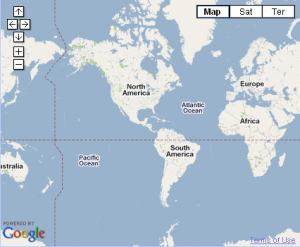
    Visitors end up seeing the entire world on the map when GeoCoordinates are not available.

    There are two ways to combat this,

    Either position map (calculate longitude) based on the timezone from system date,
    The entire map is still seen, but the map is positioned with the visitors location at the center.

    Below is the map show to a visitor from northern South America, instead of all continents.
    mapsCentered

    Here is how to do it,
    (more…)