Tag: Flex 4

  • Toast on AIR for Android

    Here’s a component which behaves as a ‘Toast’ for AIR applications running on Android. The component can essentially be used across any Flex application, since it is an ActionScript class.

    For those of you who don’t know, Toast is the small transparent alert that pop’s up (and doesn’t block your UI) when u set an alarm on Android phones !

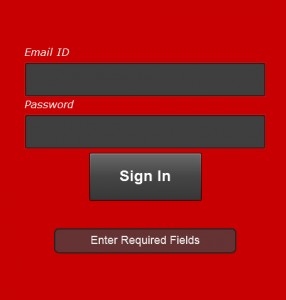
    Toast on AIR for Android

    In the pic above, the text ‘Enter Required Fields’ appears in a ‘Toast’

    (more…)

  • Hello World for a Flex Starter

    Here is a Flex Tutorial I’m writing for a couple of my friends. While the Videos on ‘Learn Flex in a week’ and “Test drive Flex in 1 hour” serve as good tutorials, here is an application I have attempted to build, which serves as an example for a developer trying out flex for the first time.

    Get yourself a Flash Builder to start off. A 60-day trial is available here

    The application demonstrates essential implementations like connecting to a WebService, SQLite Database and UI practices, a developer needs to be aware of prior to building a Flex application. This is brought about with 4 components, demonstrating the implementations below,

    1) Displaying Hello World.
    2) Displaying Hello World with a better UI (PopUp) from a XML file.
    3) Displaying Hello World from a Webservice (REST).
    4) Displaying Hello World from a Webservice that pushes data into a SQLite Database.

    (more…)

  • Installing the AIR SDK on Flash Builder

    Here is a set of steps you need to follow to configure a new SDK on Flash Builder 4.

    Download the AIR SDK
    1) The latest SDK can be downloaded from here : http://www.adobe.com/products/air/sdk/
    2) Navigate to /Flash_Builder_Installed_Folder/sdks
    3) Find the folder named ‘4.0.0’ (Our Flex 4 SDK) and make a copy of it in the same location, and name it, ‘4.0.0 AIR’
    4) Extract the contents of the downloaded archive, and paste it inside the ‘4.0.0 AIR’ directory.

    Configuring the new AIR SDK
    1) Right Click on the Project Name in Flash Builder, and select Properties
    2) Select ‘Flex Compiler’
    3) Select ‘Configure Flex SDKs’
    4) In the popup window that opens, Select ‘ADD’ and point to the new SDK you just created, namely ‘4.0.0 AIR’.
    5) Click ‘Ok’
    6) Select ‘Use Specific SDK’, and point to your new SDK.
    7) Click ‘Ok’

    The application should now get complied with the new SDK.

  • Flex – Validate Email Address against the Mail Server

    Here is a small piece of code I wrote to demonstrate Interacting with a Command, through an Event while using a Cairngorm Framework.

    The application connects to a WSDL webservice via Flash Builder 4 Data/Services to validate an Email address against the Email Server. Doesn’t work well with domains with a ‘Catch-All’ email address though !
    (more…)

  • Flex Cairngorm – Interacting with a Command, through an Event

    Cairngorm is a lightweight micro-architecture framework for Rich Internet Applications built in Flex or AIR, defining best-practices for a RIA. Read More

    When a Cairngorm command requires parameters to call the required delegate, a common (bad) practice is to fetch parameters from View Components / Calculate or Query from inside the Cairngorm Command, and end up writing complicated / un-understandable code inside Command files, when a Cairngorm event is being dispatched from > 1 AS files.

    But isn’t all this going against the very purpose of using the Cairngorm architecture?
    Why not have parameters passed to a Cairngorm Event every time its dispatched, and stay away from mixing C with M and V in a MVC Framework?

    This post explains how you pass parameters to a Cairngorm command at runtime, via a Cairngorm Event.
    (more…)
  • Flex – Paginated Datagrid

    Here is a small component i wrote for implementing a paginated Datagrid on flex.
    This component extends dataGrid, displaying only a set of records at a time, thereby organizing the entire collection into ‘pages’.
    This component arranges the collection specified under the ‘dataProvider’ attribute into ‘pages’.

    • Displays a footer at the bottom
    • Indicates currently displayed records
    • 2 navigation buttons (Previous, Next)

    (more…)