EDIT: This post was originally written with only MacOS in mind, and has been updated to serve as a generic solution
Null pointer exceptions., the NPE., can be a pain – especially with no debugging environment in place. Here’s a possible solution to one such NPE thrown by ColdFusion.
Right after installing ColdFusion, if you are confronted with a HTTP 500 Error and a Null Pointer exception on accessing the administrator, this post is for you!
Here is a more descriptive screenshot of the problem at hand.
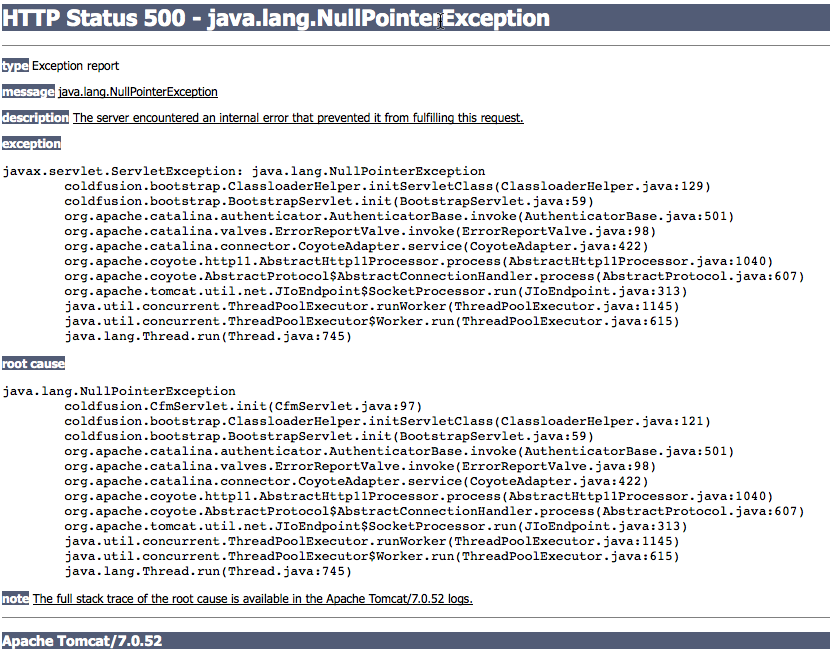
This problem is most likely caused due to a missing hostname mapping in the hosts file. The hosts file needs to contain localhost, or the machine hostname if that is how ColdFusion is accessed through the browser. The solution for both, is below. An alternate way to identify this problem, is to check coldfusion-out.log entries. The licencing service would have failed to start with incorrect hostname mappings.
Generic solution for all machines
Edit the hosts file to see if a mapping for localhost and the machine hostname exists.
Location of the hosts file on Windows: C:\Windows\System32\drivers\etc\hosts
Location of the hosts file on Linux: \etc\hosts
If not, add the statement below,
127.0.0.1 localhost machine-hostname
An easier solution on Mac
Verify this is the case by running the below command. The result will likely not include “localhost”.
sudo scutil --get HostName
An easy way to fix this problem, is to run the below command, and restart ColdFusion.
sudo scutil --set HostName localhost
Voila! ColdFusion administrator must be accessible with the localhost / machine hostname now.